 VPSUForm
7 Best WooCommerce Affiliate Plugins to Maximize Your Sales
Affiliate marketing is the most honest sales model that exists: you only pay when someone actually brings you a customer. No wasted ad spend. No guessing. Just "this person referred a buyer to me, so I owe them a commission."
The problem is that WooCommerce doesn't have affiliate management built in. You get order reports and coupon tools, but nothing that automatically registers affiliates, tracks their referrals, calculates commissions, or pays them. That's where affiliate plugins come in.
Picking the wrong one means spending months manually tracking referrals, calculating commissions with spreadsheets, or worse — paying the wrong people and getting angry affiliates. The right one handles all of that for you. Here are the 7 best options for WooCommerce stores, what each one is actually good for, and which one probably fits your situation.
The Two Paths: Self-Hosted Plugins vs. SaaS Platforms
Before we dig into individual plugins, know that there are two fundamentally different approaches.
Self-hosted plugins (like AffiliateWP, SliceWP, Coupon Affiliates) live on your WordPress server. You install them once, they're yours, and you pay a yearly fee. They integrate natively with WooCommerce and use cookie-based tracking. Cheaper long-term, but you own the setup and maintenance.
SaaS platforms (like Tapfiliate, Refersion) live in the cloud. You sign up for an account, add a tracking script to your site, and everything else is handled by them. More expensive (roughly 6x the annual cost), but zero technical maintenance, server-side tracking (survives ad blockers better), and they handle things like tax compliance. Better for larger programs, not necessary for beginners.
For most WooCommerce store owners, start with a self-hosted plugin. Graduate to SaaS only if you get big enough that the extra cost is worth not thinking about it.
Self-Hosted Plugins (Best for Most Stores)
1. AffiliateWP — Most Powerful and Most Popular
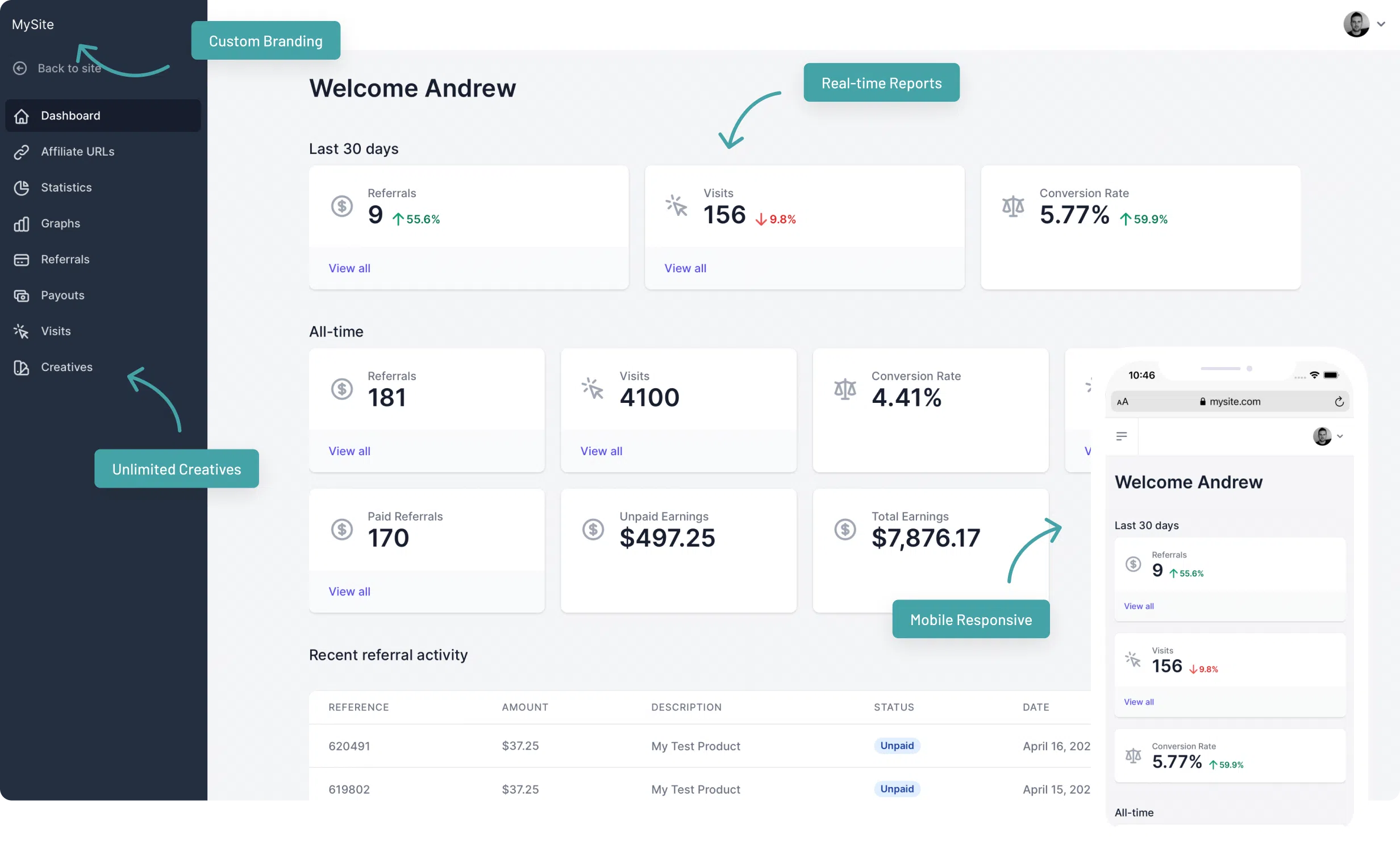
AffiliateWP is what comes to mind when people say "affiliate plugin for WordPress." Over 30,000 sites use it. It's not just for WooCommerce — it also works with Easy Digital Downloads, MemberPress, Gravity Forms, and more. If your WordPress site is bigger than just a store, this is the obvious pick.
What it does: Registers affiliates, creates custom referral links, tracks conversions via cookies or coupon codes, calculates tiered commissions, approves payouts, integrates with Stripe/PayPal for automatic payments.
Pricing: No free version. Personal plan at $149.60/year (1 site), Plus at $199.60/year (5 sites), Pro at $262.15/year (unlimited sites). Comes with 18 free add-ons for things like landing pages and bonus management. Introductory pricing often available in first year, then full renewal price afterward.
Pros: Most integrations (works beyond WooCommerce), best documentation in the space, unlimited affiliates on all tiers, affiliate leaderboards and tiered commission support, 100% money-back guarantee.
Cons: No free version to test, renewal pricing is the full price (not intro-level), settings interface is complex compared to simpler competitors, some advanced features (like automated tier promotions) require add-ons that cost extra.
Best for: Store owners with multiple WordPress properties (blog, membership, digital products, etc.) or anyone needing serious affiliate program management.
2. SliceWP — Best for Beginners (Free Plan Available)

SliceWP launched in 2020 with one goal: make affiliate management simple. The free version genuinely covers most small store needs. When you're ready to scale, paid plans add recurring commissions and lifetime payouts. Plus you get a 30-day money-back guarantee.
What it does: Registers affiliates, generates custom referral links, tracks clicks and conversions, calculates commissions, provides affiliate dashboard with earnings and stats. Free version includes core features. Pro adds PayPal payouts, recurring commissions (for subscriptions), lifetime commissions, and detailed reports.
Pricing: Free version on WordPress.org with basic features. Pro plan $229/year (1 site) or $349/year (10 sites). Both include 30-day money-back guarantee.
Pros: genuinely free tier that works for many stores, simple interface (less confusing than AffiliateWP), affordable when upgrading, 30-day guarantee means zero risk trying it.
Cons: smaller ecosystem than AffiliateWP so fewer tutorials and add-ons, limited to WooCommerce (doesn't work with EDD or other platforms), no tiered affiliate commission management in free tier.
Best for: Beginners testing an affiliate program and stores that want simplicity over feature depth.
3. Coupon Affiliates — Best for WooCommerce-Only Stores
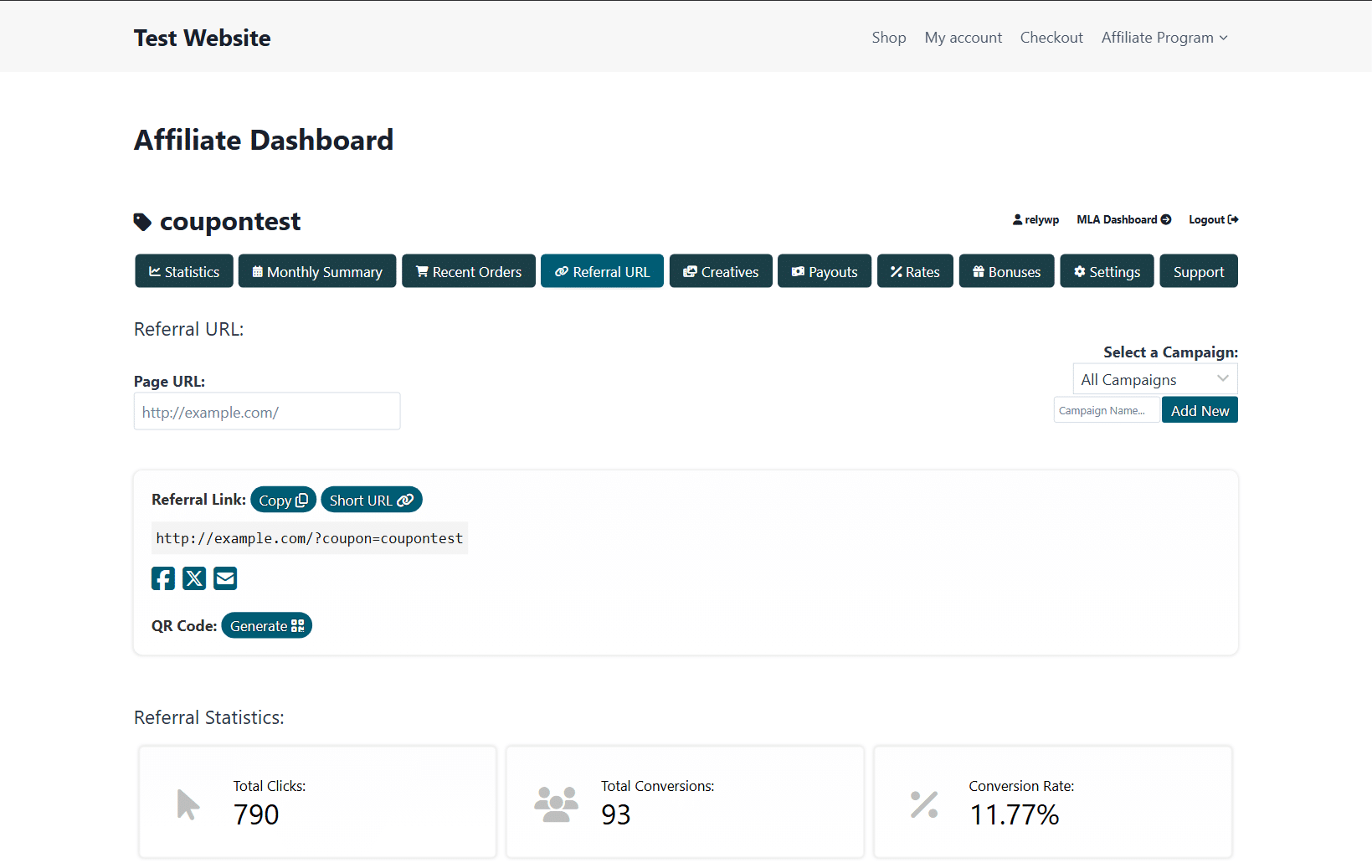
Coupon Affiliates is built by RelyWP and focuses exclusively on WooCommerce. It uses coupon-based tracking, which catches referrals that link-tracking might miss (for example, if someone copy-pastes an affiliate link instead of clicking it). It's slightly cheaper than AffiliateWP if you're running WooCommerce-only.
What it does: Affiliate registration and management, coupon and link-based tracking, commission calculations, affiliate dashboard, payout management. Every pricing tier includes all features — no feature-gating across tiers.
Pricing: Starting around $299/year (personal/store level) up to professional tier. Introductory discounts available first year, renewal at full price. Free trial available.
Pros: coupon-based tracking catches more referrals, every tier has every feature (no artificial limits between paid tiers), free trial so you can test, competitive pricing vs. AffiliateWP.
Cons: only works with WooCommerce (not EDD, memberships, etc.), smaller user base means fewer tutorials, authors make the plugin themselves (potential bias in comparisons).
Best for: WooCommerce-only stores that want coupon-based tracking and don't need integrations beyond Woo.
4. YITH WooCommerce Affiliates — Best Budget Option
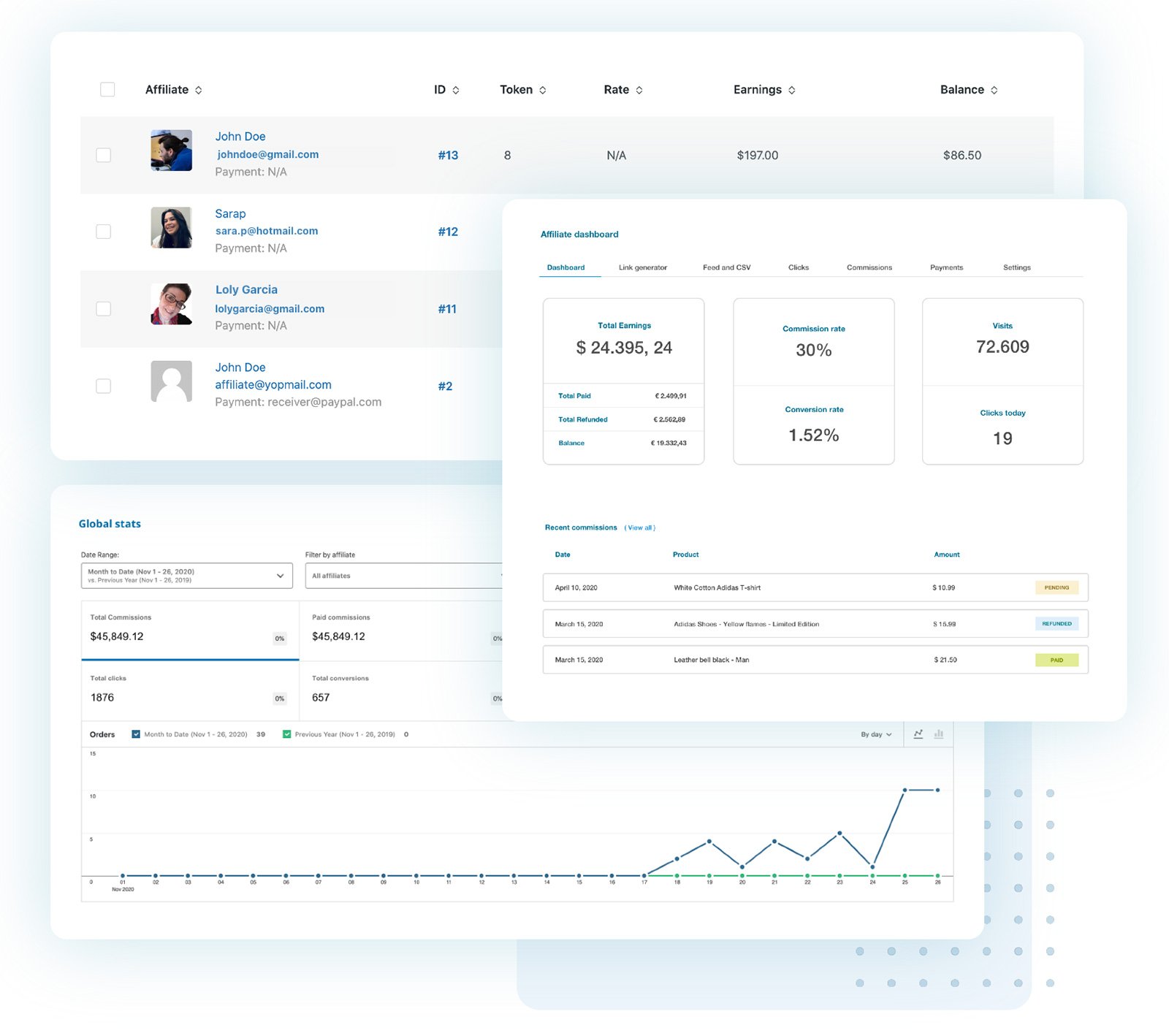
YITH (You In The Hunt) is a Sicilian plugin developer that makes dozens of WooCommerce extensions. Their affiliate plugin is simple, polished, and cheap. It integrates with their other YITH plugins (which is useful if you're already in the YITH ecosystem).
What it does: Affiliate registration with approval workflow, custom commission rates per affiliate, coupon code assignment, automatic commission tracking, affiliate dashboard. Free version covers basics. Premium version adds PayPal payouts and detailed reporting.
Pricing: Free version on WordPress.org with limited features. Premium version $179.99/year. Some features (like PayPal payouts) require additional YITH plugins that cost extra.
Pros: good-looking interface, integrates with YITH's other plugins if you use them, free version available, one-click payout approval feature is nice.
Cons: payouts require additional plugins to work (not included), weaker multi-currency support than AffiliateWP, smaller community means fewer tutorials than AffiliateWP or SliceWP.
Best for: Budget-conscious stores and anyone already using other YITH plugins.
5. Solid Affiliate — Best for Clean Interface

Solid Affiliate is relatively new (launched 2021) but has impressed a lot of store owners with its clean interface and straightforward setup. It's built specifically for WooCommerce and does one thing well: manage affiliates without overwhelming you with options.
What it does: Affiliate onboarding with setup wizard, custom commission rates, referral tracking, payout management, affiliate dashboard with earnings and performance stats.
Pricing: Store Owner plan $199/year (single store), Agency plan $999/year (up to 10 stores). 30-day money-back guarantee.
Pros: genuinely clean interface, built-in setup wizard takes the guesswork out, actively developed with new features regularly, simple enough for non-technical users.
Cons: no free tier, smaller ecosystem than AffiliateWP or SliceWP, limited feature depth compared to more mature plugins.
Best for: Store owners who prioritize simplicity and don't need complex features like tiered commissions or MLM-style payouts.
SaaS Platforms (Best for Larger Programs or No-Maintenance)
6. Tapfiliate — Best SaaS for Simplicity

Tapfiliate is a cloud-based affiliate platform that integrates with WooCommerce via a tracking script. You don't install a plugin or maintain anything — Tapfiliate handles it all on their servers. Setup takes about 30 minutes.
What it does: Affiliate registration and portal, link and coupon tracking, commission calculations (fixed, percentage, recurring, lifetime, multi-tier), PayPal/Stripe payouts, detailed reporting and analytics. Cloud-hosted means no updates you have to manage.
Pricing: Starting at $74/month annual billing ($89/month if you prefer monthly). 14-day free trial available. No revenue share — you keep 100% of sales commission.
Pros: server-side tracking (survives ad blockers better than cookie-based), truly zero maintenance, professional affiliate portal, setup in 30 minutes, multi-language support, multi-currency support built-in.
Cons: costs roughly 6x more per year than self-hosted plugins ($888/year vs. $150–300/year), overkill for small programs where maintenance isn't an issue, less WooCommerce-specific features than dedicated plugins.
Best for: Store owners with 50+ affiliates who don't want to think about technical setup, or brands that value professional affiliate experience over cost.
7. Refersion — Best SaaS for E-Commerce

Refersion is built specifically for e-commerce brands on Shopify and WooCommerce. It emphasizes product-level commissions, shoppable feeds, and influencer management. Refersion handles white-label affiliate portals, letting your affiliates feel like they're part of your brand.
What it does: Affiliate recruitment and portal, product-specific commissions, coupon code tracking, influencer collaboration tools, affiliate-specific discount codes, performance analytics with dashboards.
Pricing: Pricing is custom (contact sales). Starts higher than Tapfiliate for entry-level, aimed at mid-to-large e-commerce brands.
Pros: native e-commerce focus (product commissions, influencer tools), white-labeled affiliate portal (feels like part of your brand), server-side tracking.
Cons: no published pricing (opaque enterprise model), more expensive than Tapfiliate for comparable features, oriented toward larger programs, requires sales conversation rather than instant signup.
Best for: Mid-to-large e-commerce brands already managing influencers who want a professional, branded affiliate experience.
Quick Comparison Table
| Plugin | Type | Pricing | Free Version | WooCommerce Only | Multi-Tier Commissions | Best For |
|---|---|---|---|---|---|---|
| AffiliateWP | Self-hosted | $149.60–262/yr | ❌ No | ❌ Multi-platform | ✅ Yes | Multi-platform sites, power users |
| SliceWP | Self-hosted | Free or $229–349/yr | ✅ Yes | ✅ Yes | ❌ Free tier only | Beginners, simple needs |
| Coupon Affiliates | Self-hosted | ~$299/yr | ❌ No | ✅ Yes | ✅ Yes | WooCommerce-only stores |
| YITH | Self-hosted | Free or $179.99/yr | ✅ Yes (limited) | ✅ Yes | ❌ No | Budget-conscious stores |
| Solid Affiliate | Self-hosted | $199–999/yr | ❌ No | ✅ Yes | ❌ No | Clean interface, simplicity |
| Tapfiliate | SaaS | $74/mo ($888/yr) | ✅ 14-day trial | ❌ Multi-platform | ✅ Yes | No-maintenance approach, 50+ affiliates |
| Refersion | SaaS | Custom (higher) | ❌ No | ❌ Multi-platform | ✅ Yes | Mid-large brands, influencer focus |
How to Pick (The Simple Rule)
If you're starting small and want to test affiliate marketing: SliceWP free version. Zero cost to learn if it works for your store. If you need paid features, upgrade to SliceWP Pro ($229/year).
If you have a WooCommerce-only store and want power: AffiliateWP. Most features, best documentation, works well at any scale.
If you're budget-conscious and like simplicity: YITH ($179.99/year) or Solid Affiliate ($199/year) for a clean experience.
If you have 50+ affiliates and don't want to think about technical setup: Tapfiliate. The extra cost buys you peace of mind and professional affiliate experience.
If you're a large e-commerce brand managing influencers: Refersion. Built for this use case specifically.
Common Questions
Can multiple affiliate plugins conflict?
Yes. Don't run two affiliate plugins at once — pick one and stick with it. Conflicts cause tracking issues and double-commission problems.
How much do affiliates typically earn?
It depends on your product and industry. Most stores offer 5–15% commission on sales. Some go higher (20–30%) to attract more affiliates. Start with what feels fair and adjust based on performance.
How do I prevent affiliate fraud?
Good plugins (AffiliateWP, Tapfiliate, Refersion) have fraud detection built in — they flag multiple referrals from the same IP, detect self-referrals, and identify cookie stuffing. Manual review of new affiliates before approval helps too.
Can affiliates use both referral links and coupon codes?
Yes, most plugins support both. Links work for direct clicks. Coupons work when someone hears about you from an affiliate but comes back later through direct search or email.
Do I need a separate affiliate landing page?
No, but it helps. Most plugins let affiliates generate custom landing pages (AffiliateWP does this with add-ons). A dedicated "Join Our Affiliate Program" page also helps attract quality affiliates.
The Real Advantage
The biggest win of affiliate marketing isn't the commissions you pay out — it's the sales you only make because someone brought them to you. You're trading a percentage of profit for new customers you wouldn't have otherwise gotten. That's a deal worth taking.
The plugin you pick determines whether this is frictionless (automatic tracking, one-click payouts, happy affiliates) or a headache (manual spreadsheets, payment disputes, lost referrals). Start with SliceWP free or AffiliateWP if you want power. Scale to Tapfiliate only when the cost is insignificant compared to affiliate revenue.
Most importantly: launch your affiliate program. The hardest part isn't picking the perfect plugin — it's getting started at all.