 VPSUForm
8 Best WooCommerce SEO Plugins for Better Rankings 2026
Your WooCommerce store sits on WordPress, which means any WordPress SEO plugin can technically "work" on your product pages. But WordPress SEO plugins are built for blogs. They optimize single posts and articles. Your store has hundreds of products, product variations, categories, and inventory levels — a completely different beast.
The difference between a blog SEO plugin and a WooCommerce SEO plugin is like comparing a car engine to a truck engine. One is optimized for speed. The other is optimized for hauling weight. Both have engines. Only one actually works for the job.
Here are the 8 best SEO plugins that actually understand WooCommerce: product schema markup, inventory-based optimization, bulk product editing, category page optimization, and the weird quirks that come with selling online.
What Makes WooCommerce SEO Different
A blog post is one page with one title, one meta description, one image. A WooCommerce product is:
- A product page (with variations like size, color, material)
- A category page (grouping similar products)
- A tag page (grouping by attribute)
- An inventory level (affects schema markup and search behavior)
- A price point (affects rich snippets and CTR)
- Product images and gallery (affect schema and crawlability)
- A product description (text SEO)
- Customer reviews (affect ranking factors and CTR)
A WooCommerce SEO plugin needs to handle all of these. A blog SEO plugin handles maybe one or two.
The 8 Best WooCommerce SEO Plugins
1. Rank Math — Best Free Tier for WooCommerce

Rank Math gives away so many WooCommerce features in the free version that competitors get nervous. Automatic product schema (with GTIN, MPN, brand, price, availability), bulk product optimization, category page schema, review schema — all free. You literally don't need to pay to get solid WooCommerce SEO working.
What it does: Automatic WooCommerce product schema, inventory-aware optimization, bulk product optimization tools, category and tag page optimization, review schema with ratings display, keyword tracking (limited free, extensive Pro), redirect manager, 404 monitoring, Google Search Console integration inside WordPress.
Pricing: Free version is genuinely complete. Pro at $49.60/year (1 site) includes unlimited keyword tracking, local SEO, and content AI. Plus and higher tiers add multi-site support.
Pros: free tier covers most WooCommerce stores completely, unlimited focus keywords even in free version, automatic product schema doesn't require setup, interface is clean and not overwhelming, good documentation.
Cons: more complex interface than Yoast so steeper learning curve, free version has 30-day keyword tracking limits, requires configuration if you want maximum benefit.
Best for: Store owners who want comprehensive WooCommerce SEO without paying anything, or anyone willing to spend $50/year for unlimited keyword tracking and multi-site management.
2. All in One SEO (AIOSEO) — Best for Agencies Managing Multiple Stores
AIOSEO is the oldest SEO plugin in WordPress (launched 2007) and it shows in the maturity and depth. Built specifically with agencies in mind, it scales across dozens of sites with one license. The Elite plan covers 100 sites for $299.50/year — which means if you manage 10 WooCommerce stores, you pay 3 cents per store for SEO.
What it does: WooCommerce-specific SEO module, product schema (with all variations and attributes), category optimization, inventory-based schema updates, internal linking suggestions for products, bulk optimization tools, setup wizard specifically for stores, TruSEO on-page scoring system.
Pricing: Free version limited to one focus keyword (limiting for WooCommerce). Pro at $118/year or Elite at $299.50/year (100 sites). Scales better than most for multi-site agencies.
Pros: exceptional value for agencies (unlimited-site tiers available), mature codebase with years of testing, setup wizard specifically for WooCommerce, good for managing many stores under one license.
Cons: free version is crippled (one keyword only), steeper learning curve than simple plugins, interface feels feature-heavy for beginners.
Best for: Agencies managing 5+ WooCommerce stores, or anyone who wants unlimited-site licensing and doesn't mind complexity.
3. Yoast SEO + WooCommerce SEO Extension — Most Established and Trusted

Yoast is the safest choice because more people use it than any other plugin. Millions of stores run on Yoast, which means bugs get caught fast, and there's a tutorial for every problem you'll ever hit. The tradeoff: it's more expensive because you need both the base plugin ($99/year) and the WooCommerce extension ($79/year) — $178/year total if you want full functionality.
What it does: Readability analysis (actually useful for product descriptions), product schema generation, category optimization, redirect management when product URLs change, XML sitemaps, breadcrumb trails, Yoast Content AI for writing product descriptions (separate add-on).
Pricing: Yoast SEO Premium $99/year (per site). Yoast WooCommerce SEO extension $79/year (per site). Bundle pricing available but still $178/year minimum.
Pros: most trusted, best community support, readability analysis actually helps non-SEO people write better product descriptions, well-documented, most stable across WordPress updates.
Cons: expensive ($178/year for one store), WooCommerce is a separate add-on (feels nickel-and-dimed), per-site pricing means managing 10 stores costs $1,780/year, interface can feel cluttered with upsells.
Best for: Non-technical store owners who want hand-holding and readability guidance, or anyone already using Yoast on their blog and wanting consistency.
4. SEOPress — Best Value for Multiple Sites

SEOPress is the hidden champion. Barely anyone talks about it, but it consistently outperforms competitors on price-to-features. The pricing model is genius: $49/year for 1 site, $149/year for unlimited sites. If you run 3+ stores, unlimited is cheaper. And it includes WooCommerce schema, inventory optimization, and product bulk editing without extra add-ons.
What it does: WooCommerce product schema with GTIN/MPN/brand, inventory-based optimization, category breadcrumbs, product bulk editor for updating titles and descriptions across 100s of items, redirect manager, Google Analytics integration, local SEO, white-label option for agencies.
Pricing: Free version available (limited). Pro $49/year (1 site) or $149/year (unlimited sites). Price lock guarantee means your renewal never increases.
Pros: unlimited-site tier is unmatched value, includes WooCommerce features in base Pro plan (no add-ons), fast and lightweight (doesn't slow your admin), price-lock guarantee, good technical SEO coverage.
Cons: smaller community means fewer tutorials, less content analysis help than Yoast, less handholding for beginners.
Best for: Store owners running 3+ WooCommerce sites, budget-conscious agencies, anyone who values clean code and fast admin performance.
5. The SEO Framework — Best for Speed-Obsessed Store Owners
The SEO Framework takes a minimalist approach: automatic SEO without all the settings screens. Install it, and your WooCommerce site gets optimized automatically. No configuration needed. No traffic lights. No SEO scores. Just silent, effective optimization in the background.
What it does: Automatic schema markup (including WooCommerce product schema), automatic meta description generation, breadcrumb trails, robots meta tags, zero-configuration setup, lightweight codebase (minimal performance impact), automatic sitemap generation.
Pricing: Free version includes most features. Premium extensions available for advanced functionality, but most stores need nothing beyond free.
Pros: genuinely lightweight (no performance drag), set-and-forget approach, zero admin complexity, good for developers who want SEO without fussing with settings.
Cons: no keyword tracking, no content analysis, not beginner-friendly (assumes you know SEO), smaller community than Rank Math or Yoast.
Best for: Store owners who value page speed above all else, developers building WooCommerce sites for clients, anyone tired of complex SEO plugins.
6. SmartCrawl — Best if You're Already in the WPMU DEV Ecosystem

SmartCrawl is part of WPMU DEV's ecosystem of WordPress tools. If you're already using Hummingbird (caching), Smush (image compression), and Defender (security), SmartCrawl fits seamlessly. You don't need to learn a new UI because everything integrates.
What it does: WooCommerce schema (including inventory awareness), Moz integration (see domain authority and link metrics inside WordPress), 150+ schema types, social media previews, XML sitemaps, breadcrumbs, redirect management.
Pricing: Standalone is $59/year. Real value is WPMU DEV membership at $36/month (first year) which includes SmartCrawl, Hummingbird, Smush, Defender, and hosting.
Pros: integrates with other WPMU DEV tools seamlessly, Moz integration (unique feature), good WooCommerce schema support, clean interface.
Cons: standalone pricing isn't competitive, only worth it if using other WPMU DEV tools, smaller community than Rank Math or Yoast.
Best for: WPMU DEV subscribers, users who want a unified WordPress toolkit from one vendor.
7. Jetpack — Best for Speed Optimization (SEO + Performance)
Jetpack is made by Automattic (the WordPress.com company) and emphasizes performance improvements that also improve SEO. Core Web Vitals scores matter for rankings, and Jetpack's one-click optimizations (Critical CSS, deferred JavaScript, lazy loading) improve them without configuration.
What it does: Real-time backups, malware scanning, CDN, spam protection (Akismet), SEO dashboard (shows Search Console data), performance optimization for Core Web Vitals, page caching, image optimization.
Pricing: Free basic tier. Security + performance bundles start around $120/year. Full Jetpack bundle is $300+/year. Introductory pricing often lower; renewal is full price.
Pros: one dashboard for security, backups, performance, and SEO, real-time backups included, Core Web Vitals optimization actually works, integrates with WordPress.com seamlessly.
Cons: not specialized in SEO (performance-focused), weak content analysis for keyword optimization, renewal pricing is high, WooCommerce features aren't as comprehensive as Rank Math.
Best for: Store owners who want security, backups, and performance in one plugin, anyone already using Jetpack for other features, sites where Core Web Vitals scores are a priority.
8. Schema & Structured Data for WP & AMP — Best for Advanced Product Schema Control
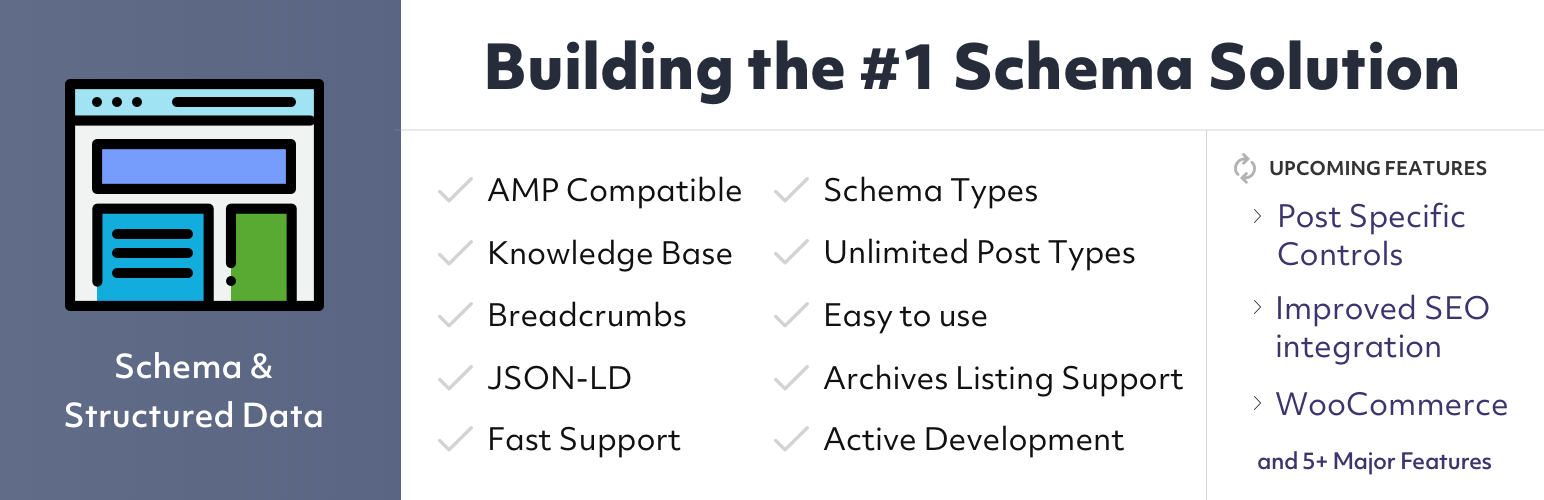
While other plugins auto-generate schema, this plugin gives you point-and-click control over 20+ schema types (Product, Review, FAQ, HowTo, Event, LocalBusiness, Recipe). For stores with unique products or complex attribute combinations, this level of control is powerful. Many store owners run this alongside Rank Math or Yoast for custom schema they can't auto-generate.
What it does: Point-and-click schema builder, 20+ schema types, conditional display rules (show different schema on different pages), WooCommerce integration for product schema, review schema with ratings, rich snippets preview.
Pricing: Free version available. Pro tier runs $79/year for advanced features and priority support.
Pros: visual schema builder (no JSON-LD coding needed), WooCommerce-aware, doesn't duplicate schema if run alongside another plugin, good documentation.
Cons: not an all-in-one SEO plugin (needs to run with something else), overkill for most WooCommerce stores with standard products, less active development than competitors.
Best for: Store owners with complex product structures (variations, attributes, dynamic pricing), anyone needing custom schema beyond auto-generation, used alongside Rank Math or Yoast as a supplementary tool.
Get Schema & Structured Data →
Quick Comparison Table
| Plugin | Pricing | Free Version | WooCommerce Schema | Bulk Product Edit | Best For |
|---|---|---|---|---|---|
| Rank Math | Free or $49.60+/yr | ✅ Full | ✅ Automatic | ✅ Yes | Free-first approach, multi-site |
| AIOSEO | Free or $118–299.50/yr | ✅ Limited | ✅ Automatic | ✅ Yes | Agencies, 5+ sites |
| Yoast + WooCommerce | $178/yr per site | ✅ Limited | ✅ (Extension) | ❌ No | Stability, readability, trusted |
| SEOPress | $49–149/yr | ✅ Limited | ✅ Built-in | ✅ Yes | Multi-site value, speed |
| The SEO Framework | Free (+ optional pro) | ✅ Full | ✅ Automatic | ❌ No | Speed, minimal config |
| SmartCrawl | $59/yr or WPMU DEV | ✅ Basic | ✅ Yes | ❌ No | WPMU DEV ecosystem |
| Jetpack | Free or $120+/yr | ✅ Basic | ✅ Basic | ❌ No | Performance + security |
| Schema & Structured Data | Free or $79/yr | ✅ Yes | ✅ Custom | ❌ No | Custom schema, advanced |
How to Actually Pick One (Decision Tree)
If you want maximum features for $0: Rank Math free. End of decision.
If you run 3+ WooCommerce stores and want unlimited-site licensing: SEOPress ($149/yr covers all) or AIOSEO Elite ($299.50/yr for 100 sites).
If you value stability above all and don't mind spending money: Yoast SEO + WooCommerce extension ($178/year). Most battle-tested, biggest community.
If you care about page speed and Core Web Vitals: Jetpack (performance focused) or The SEO Framework (lightweight and minimal).
If you're in the WPMU DEV ecosystem already: SmartCrawl integrates seamlessly with Hummingbird, Smush, and Defender.
If you need custom schema for unique products: Run Rank Math (free) + Schema & Structured Data plugin as supplement.
FAQ
Do I need a special WooCommerce SEO plugin, or will a regular plugin work?
A regular WordPress SEO plugin will sort of work on product pages, but it won't optimize for product-specific factors like inventory levels, variations, or bulk product optimization. A WooCommerce-aware plugin handles these automatically.
Which plugin is best for product rankings specifically?
All of these rank products fine. Rank Math and SEOPress are fastest to set up. Yoast has the best content analysis for product descriptions. The difference between them is usually under 5% of your overall ranking factor.
Do I need to pay for SEO plugins, or can I just use the free versions?
Rank Math and The SEO Framework have genuinely capable free versions. If you're a beginner, these are enough. Once you're tracking keywords or managing 5+ products, paid versions unlock features that save you time.
Can I run two SEO plugins at once?
Not recommended. They'll conflict on schema markup, meta tags, and redirects. Pick one core plugin, then optionally add Schema & Structured Data if you need custom schema that your main plugin doesn't handle.
Does an SEO plugin alone improve my rankings?
No. An SEO plugin handles on-page optimization (meta tags, schema, sitemaps). Rankings also depend on backlinks, site authority, content quality, technical speed, and user behavior. The plugin is one piece of a bigger puzzle.
The Real Decision
For most WooCommerce stores in 2026: start with Rank Math free. It gives you automatic product schema, bulk optimization, category pages, and keyword tracking for $0. If you need more keywords tracked or run multiple stores, upgrade to Pro ($49.60/year). That's genuinely enough for 90% of stores.
If you're an agency managing 10+ stores, SEOPress at $149/year for unlimited sites is impossible to beat. You'll save thousands compared to per-site licenses from Yoast or AIOSEO.
If you already use Yoast on your blog and want consistency, get the WooCommerce extension ($79/year). The premium support and stability are worth it if you're running a profitable store.
Don't overthink this. Pick one, install it, and optimize your product pages. Ranking higher for product keywords matters way more than which specific plugin you choose.