 VPSUForm
9+ Best WordPress Map Plugins for Interactive Maps in 2026
Maps are useful for almost any WordPress site: a business showing its location, a real estate agent listing properties, a travel blogger marking adventures, a non-profit displaying service areas. But embedding a map should be a 5-minute job, not a 2-hour technical nightmare involving API keys, billing accounts, and coordinate systems.
The problem: Google Maps changed its pricing model years ago, making it expensive for high-traffic sites. The solution: dozens of map plugins with different approaches — Google Maps (still popular), Leaflet (open-source, privacy-friendly), OpenStreetMap (completely free), and paid alternatives that cost nothing per use.
Here are the 9+ best WordPress map plugins that actually work, with honest notes on which one fits your specific need.
The Map Plugin Decision: API Keys vs. Open-Source vs. Paid Alternatives
Before picking a plugin, know what you're getting into:
Google Maps plugins require an API key and billing account. Free tier covers some usage, but high-traffic sites pay. Best for: business locations, store locators, real estate. Cheapest alternative: free with usage limits.
Open-source plugins (Leaflet, OpenStreetMap) need no API key, generate no tracking cookies, cost $0 per month. Best for: privacy-conscious sites, travel blogs, GDPR-compliant EU businesses. Downside: less feature-rich than Google, no built-in search.
Paid alternative services (Mapbox, Thunderforest) offer a middle ground: more features than open-source, cheaper than Google at scale. Best for: high-traffic sites that need features but want to avoid Google's pricing.
Most site owners: pick the free version of WP Go Maps or MapPress and see if it works. Upgrade only if you hit limits.
The 9+ Best WordPress Map Plugins
1. WP Go Maps (formerly WP Google Maps) — Best Overall, Most Versatile

WP Go Maps is the most popular WordPress map plugin (25+ million downloads, 300,000+ active installs) because it actually works without forcing you to pay immediately. The free version includes 7 different map engines (Google Maps, Leaflet, OpenStreetMap, OpenLayers, Azure Maps, MapTiler, Stadia Maps), unlimited markers, and a full store locator with proximity search.
What it does: Multiple map engines, unlimited markers and maps, store locator with distance search and filtering, geolocation detection, custom marker icons, clustering (grouping nearby markers), heatmaps, visitor-generated markers (let users submit locations), shapes and polygons, CSV import/export.
Pricing: Free version is genuinely complete. Pro add-ons start at $69 one-time (3 sites), $99 (10 sites), $299 (unlimited sites). Pay once, updates included forever. No subscription.
Pros: free tier is substantial (not crippled), multiple map engines so you can switch anytime, pay-once model (no subscriptions), huge community with tons of tutorials, good documentation, works well at scale.
Cons: free version interface can be confusing for beginners, first-time setup takes 15-30 minutes, some advanced features require Pro.
Best for: Store locators, business maps, real estate listings, travel blogs, sites with hundreds of locations.
2. MapPress — Best Simplicity + Leaflet Support

MapPress is the easiest map plugin to use. Drag and drop markers directly on the map, type an address and it auto-locates, set zoom level, done. The free version covers 90% of use cases. Pro adds mashups (combining data from posts) and filtering options for $39/year.
What it does: Google Maps and Leaflet support, unlimited maps and markers, drag-and-drop marker placement, address auto-geocoding, custom marker icons, basic styling, responsive design, Gutenberg block support.
Pricing: Free version is solid. Pro $39/year adds mashups, filtering, and priority support. GDPR-compliant (Leaflet version uses no cookies).
Pros: genuinely simple interface, Leaflet support means no API key needed if you choose Leaflet, free tier is not crippled, 60,000+ active installs means established community, good documentation.
Cons: fewer advanced features than WP Go Maps, smaller plugin ecosystem, mashup feature (combining post data into maps) requires Pro.
Best for: Beginners, small business locations, simple maps that don't need 100 markers or advanced features.
3. Leaflet Maps Marker (Maps Marker Pro) — Best for Privacy and Open-Source
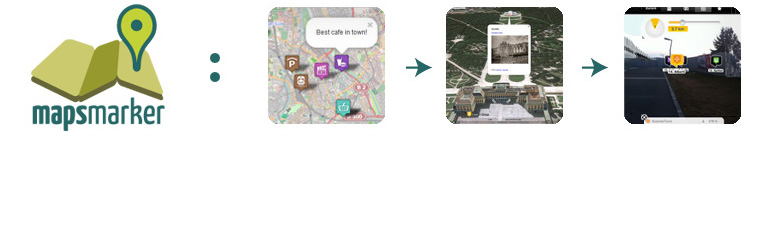
Leaflet Maps Marker is built on Leaflet.js, an open-source mapping library. No Google tracking. No API fees. No billing account required. The free version is limited, but Maps Marker Pro ($99 lifetime license) is genuinely powerful and a true one-time payment with lifetime updates.
What it does: Leaflet-based maps with OpenStreetMap tiles (free), supports custom tile providers, unlimited markers and layers, custom marker icons, clustering, route planning, GDPR-friendly (no tracking cookies), Gutenberg support.
Pricing: Free version on WordPress.org is basic. Maps Marker Pro is ~$99 lifetime license (pay once, updates forever). Some premium tile providers (Mapbox, Thunderforest) have their own costs.
Pros: completely privacy-friendly (no Google, no tracking), lifetime license means no subscription, open-source foundation means community trust, good for GDPR compliance, extensive customization options (1000+).
Cons: free WordPress.org version is weak, steep learning curve for beginners, smaller ecosystem than WP Go Maps, requires understanding of map engines to get the most from it.
Best for: Privacy-conscious sites, EU-based businesses (GDPR), travel bloggers, NGOs, sites that don't want to pay Google API fees year after year.
4. Ultimate Maps by Supsystic — Best Google Maps Alternative

Ultimate Maps was built specifically as a Google Maps alternative when Google's pricing became unreasonable. It supports Bing Maps, OpenStreetMap, Leaflet, Mapbox, and Thunderforest — giving you options if you don't want to rely on Google.
What it does: Multiple map engine options (Bing, OSM, Leaflet, Mapbox, Thunderforest), unlimited markers, rich media in markers (video, text, images), full-page maps and widgets, simple shortcode embedding, responsive design.
Pricing: Free version available (limited). Pro version pricing not clearly listed (contact sales model common for Supsystic). Generally reasonable for what you get.
Pros: built specifically to escape Google's pricing, good documentation, focuses on affordability, works well for business maps and locations.
Cons: less robust than WP Go Maps for advanced use cases, smaller community, pricing not transparent (requires contacting sales).
Best for: Businesses tired of paying Google Maps API fees, sites wanting map alternatives, non-profits with limited budgets.
5. WP Store Locator — Best Dedicated Store Locator

If your only job is "show customers the nearest store," WP Store Locator is purpose-built for it. Completely free, handles unlimited locations, includes proximity search (find stores near me), filtering by category, and custom metadata per location.
What it does: Store locator with proximity search, location filtering by category, "use my location" button (geolocation), nearby store sorting, custom fields per location, responsive design, Google Maps (requires API key).
Pricing: Completely free. No paid version or upsells.
Pros: genuinely free with zero upsells, purpose-built for store locators (does one job well), unlimited locations, good geolocation handling, active community.
Cons: limited to Google Maps (requires API key setup), minimal customization compared to general-purpose plugins, requires some technical comfort with API keys.
Best for: Retail chains with multiple locations, restaurants showing nearby branches, businesses with 10-1000+ locations.
6. Interactive Geo Maps — Best for Data Visualization and Travel Maps
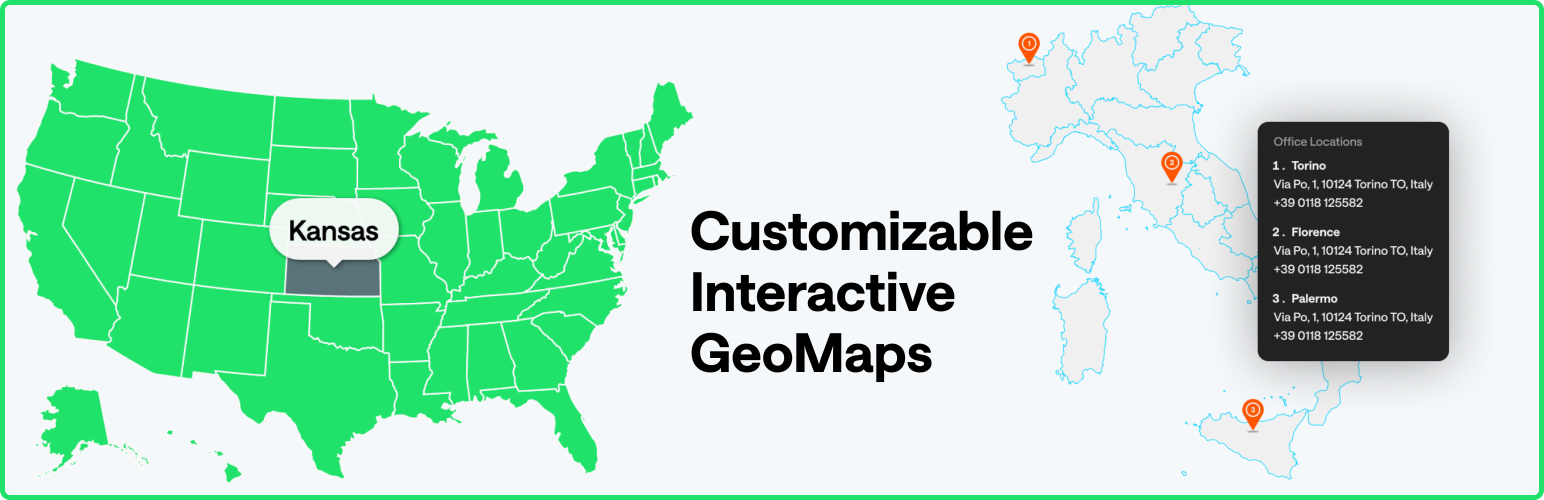
Interactive Geo Maps is different. It's built for visualizing data on maps — think travel routes, regional statistics, climate zones, or interactive world/country maps. It handles vector-based maps (regions, countries) that most location plugins can't.
What it does: Interactive country and region maps, custom colors per region (heatmaps), data visualization, travel route mapping, clickable region filters, tooltips and legends, SVG-based maps.
Pricing: Free version available with core features. Pro unlocks advanced visualization and more map templates.
Pros: unique approach (data visualization instead of location markers), great for travel blogs and analytics dashboards, interactive region coloring, good for educational content.
Cons: doesn't handle individual address locations (no "store locator" functionality), not suitable for business location maps, smaller user base.
Best for: Travel bloggers, NGO dashboards, academic sites, data visualization, regional analytics (sales by state, etc.).
7. Agile Store Locator — Best for High-Traffic Store Location Maps
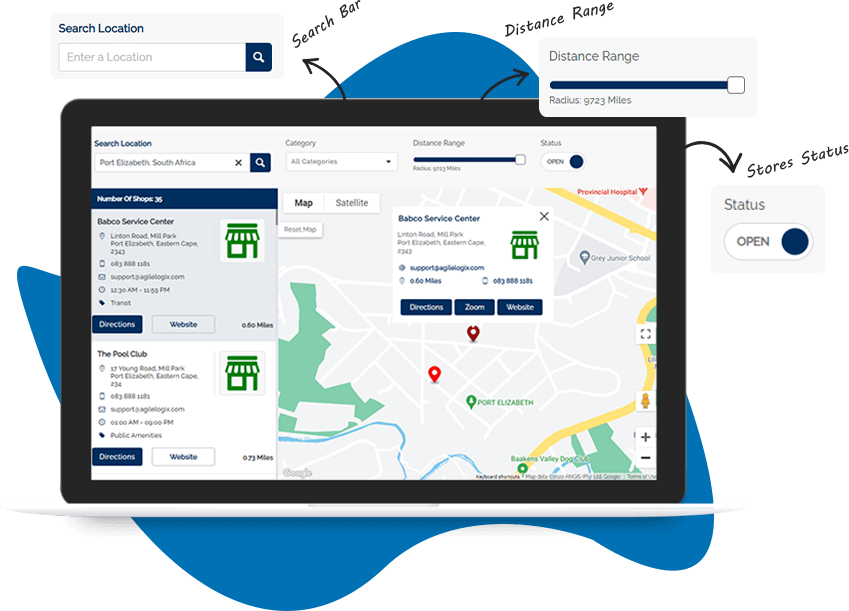
Agile Store Locator (listed as "Store Locator" on WordPress.org) is built for scale. It handles responsive interfaces, store and category management, "use my location" buttons, multilingual support, and large datasets without slowing down.
What it does: Store locator on Google Maps, responsive design, store/category management, geolocation detection, multilingual support, custom store data fields, search by radius or address.
Pricing: Free version available. Premium tiers available for advanced features and priority support.
Pros: built for scale (handles hundreds of locations), solid multilingual support, responsive design works on mobile, good for international businesses.
Cons: requires Google Maps API key setup, interface less polished than newer plugins, premium features not clearly priced.
Best for: Large retail chains, international businesses with multilingual needs, high-traffic location maps.
8. Snazzy Maps — Best for Google Maps Styling

Snazzy Maps isn't a full map plugin — it's a styling tool for Google Maps. If you're using WP Go Maps or MapPress with Google Maps and want it to look beautiful, Snazzy Maps provides hundreds of pre-made themes and a visual editor to customize colors, opacity, and element visibility.
What it does: Browse 1000+ map styles, preview before applying, visual style editor (no code needed), customize colors and opacity, share custom styles.
Pricing: Free on WordPress.org. Also works as a standalone web tool (snazzymaps.com).
Pros: completely free, hundreds of pre-made styles, visual editor is intuitive, works with any map plugin that supports Google Maps styling.
Cons: only works with Google Maps (not Leaflet or alternatives), requires having another map plugin already installed, just a styling tool (not a map plugin itself).
Best for: Making default Google Maps look professional, designers wanting to match brand colors, anyone wanting a "different" looking map without coding.
9. Easy Google Maps by Supsystic — Best for Simple, Fast Embed
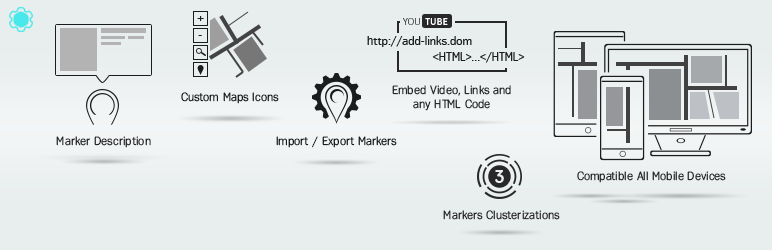
Easy Google Maps is the "no-thinking" option. Type an address, get a map. Minimal setup, minimal options. Good for sites that just need a contact page map without customization.
What it does: Simple address-to-map embed, automatic geocoding, custom marker icons, responsive maps, widget and shortcode support, minimal settings.
Pricing: Free version available. Pro version available (pricing similar to Supsystic's other products — contact sales).
Pros: genuinely simple (no learning curve), fast setup (2 minutes), good for contact page maps, Supsystic support.
Cons: minimal customization, limited to Google Maps, overkill if you need lots of features.
Best for: Contact pages, "where we are" sections, businesses that don't need advanced map features.
10+ (Honorable Mentions)
Schema & Structured Data plugins often include map blocks for Elementor (free, OpenStreetMap, no API key needed).
Page builders (Elementor, Bricks, Breakdance) include native map widgets that may be enough for simple use cases.
Leaflet Map for pure open-source mapping without WordPress-specific features.
Quick Comparison Table
| Plugin | Best For | Pricing | Free Version | API Key Needed | Ease of Use |
|---|---|---|---|---|---|
| WP Go Maps | Versatility, store locators | Free or $69–299 one-time | ✅ Full | ✅ Optional | ⭐⭐⭐ |
| MapPress | Simplicity, Leaflet | Free or $39/yr | ✅ Full | ✅ Optional | ⭐⭐⭐⭐⭐ |
| Leaflet Maps Marker | Privacy, GDPR | Free or ~$99 lifetime | ✅ Limited | ❌ No | ⭐⭐⭐ |
| Ultimate Maps | Google alternative | Free or contact sales | ✅ Limited | ✅ Optional | ⭐⭐⭐⭐ |
| WP Store Locator | Store locators only | Free | ✅ Full | ✅ Required | ⭐⭐⭐ |
| Interactive Geo Maps | Travel, data viz | Free or Pro | ✅ Limited | ❌ No | ⭐⭐⭐ |
| Agile Store Locator | High-traffic chains | Free or Premium | ✅ Limited | ✅ Required | ⭐⭐⭐ |
| Snazzy Maps | Map styling | Free | ✅ Full | N/A (add-on) | ⭐⭐⭐⭐⭐ |
| Easy Google Maps | Simple contact maps | Free or contact sales | ✅ Full | ✅ Required | ⭐⭐⭐⭐⭐ |
How to Pick (Simple Decision Tree)
If you need a store locator with "find nearest": WP Go Maps (free version), WP Store Locator (free), or Agile Store Locator (free).
If you want the simplest setup with minimal customization: MapPress free or Easy Google Maps.
If you care about privacy and GDPR compliance: Leaflet Maps Marker or Ultimate Maps with OpenStreetMap/Leaflet.
If you want maximum features without paying: WP Go Maps free (has everything, just more complex).
If you're doing data visualization or regional maps: Interactive Geo Maps.
If you want your Google Maps to look professional: Any map plugin + Snazzy Maps styling.
FAQ
Do I need a Google Maps API key?
Not if you use Leaflet or OpenStreetMap engines. Plugins like WP Go Maps, MapPress, and Leaflet Maps Marker support these free alternatives. Google Maps requires an API key with billing enabled (though free tier covers small usage).
Which is cheapest for high-traffic sites?
WP Go Maps with OpenStreetMap or Leaflet engine ($0/month). Leaflet Maps Marker Pro ($99 one-time). Both avoid Google's usage-based billing entirely.
Can I switch map plugins later?
Yes. Most plugins export your markers as CSV. You can import them into a different plugin. It's not instant, but it's possible.
Does adding a map plugin slow my site?
Slightly. Most modern plugins are optimized. Leaflet and OpenStreetMap are lighter than Google Maps. MapPress and WP Go Maps are well-optimized. Enable lazy loading and CDN caching to mitigate.
Which is best for Elementor?
Elementor has its own map widget (limited). For more features, use WP Go Maps, MapPress, or any general plugin — they integrate with Elementor via shortcodes and blocks.
The Real Talk
You probably don't need a fancy plugin. If you just need a contact page map, use MapPress free or Easy Google Maps — 5 minutes to done. If you're building a store locator or real estate site, use WP Go Maps free and upgrade to Pro if you need clustering or advanced filtering. If you're EU-based and worried about GDPR, use Leaflet Maps Marker with OpenStreetMap.
Maps are a solved problem in 2026. Pick a plugin and move on. The difference between "best" and "second best" doesn't matter as much as having a map at all.