 VPSUForm
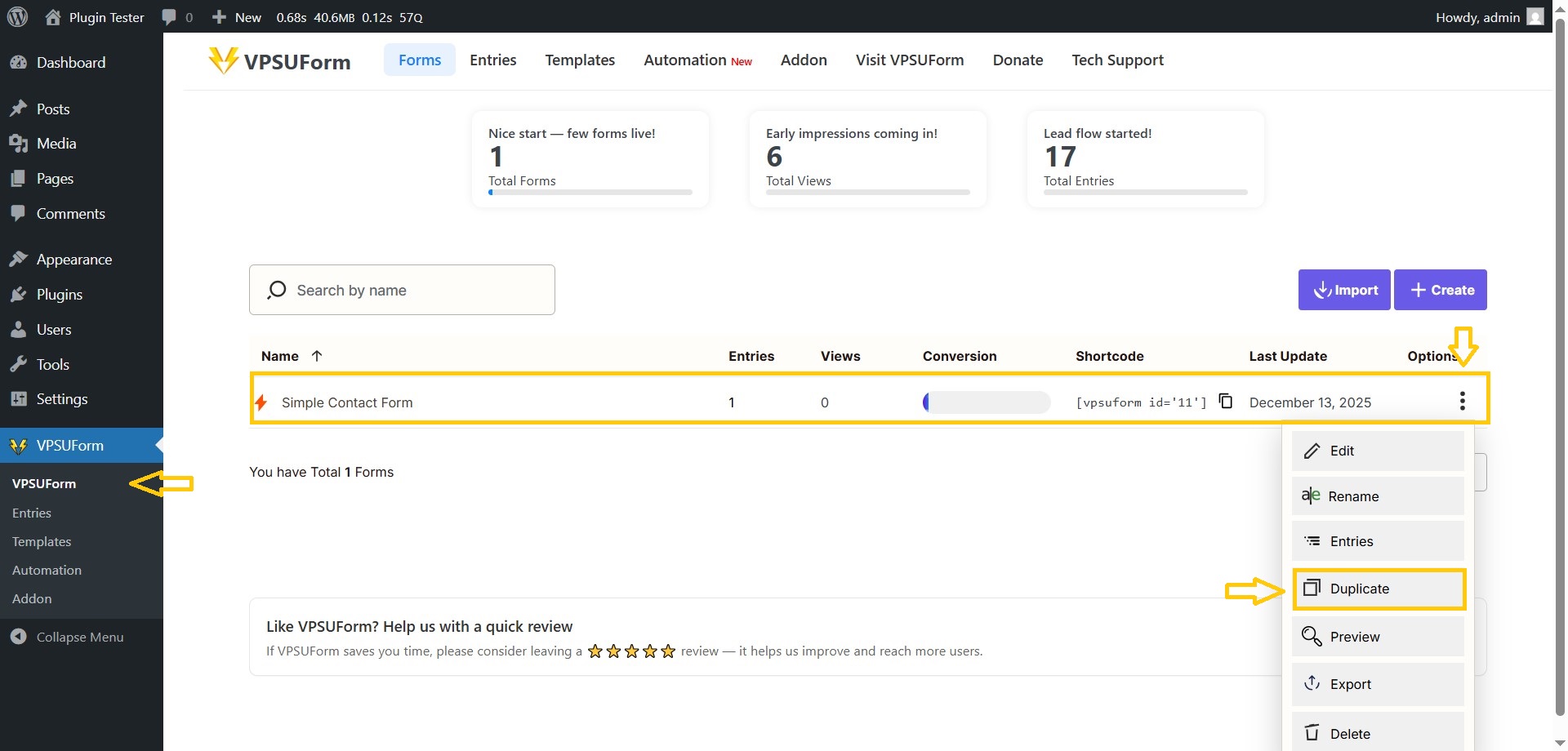
Duplicate a form (step-by-step)
Make a copy of an existing form to edit without affecting the original.
-
VPSUForm → Forms list.
-
Find the form → click the Duplicate/Clone icon (two overlapping squares).
-
A new form is created named
Copy of {original}. Open it → edit title and fields → Save.